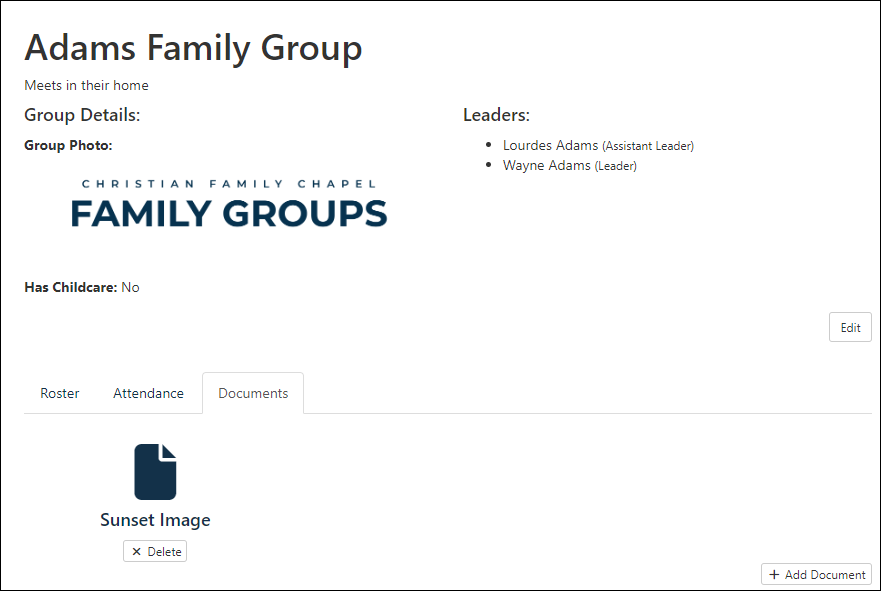
Steps to accomplish this.
First import the Document Add To Group and Document Delete From Group workflows.
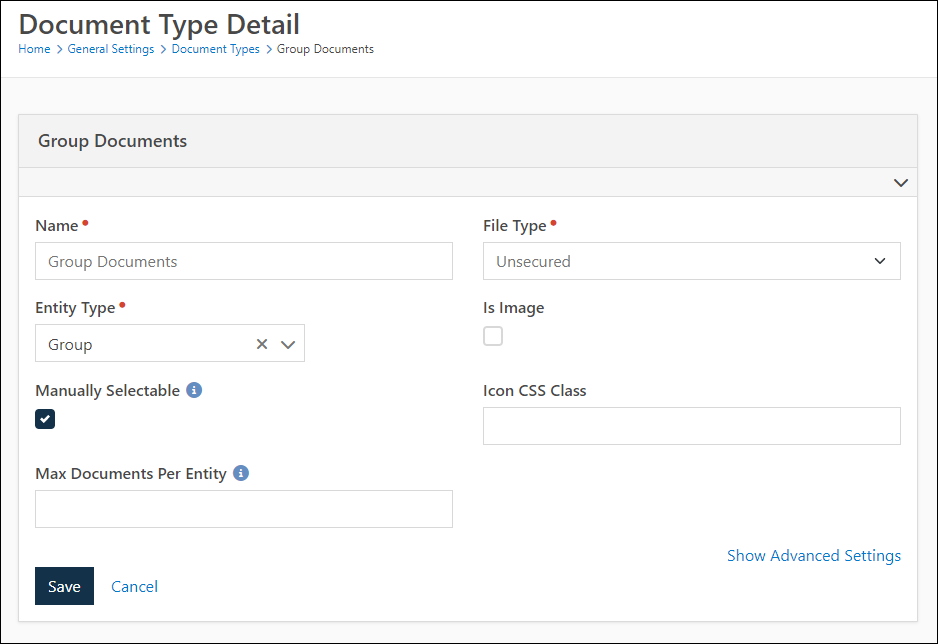
Add a new Document Type specific to group (i.e. Group Documents)
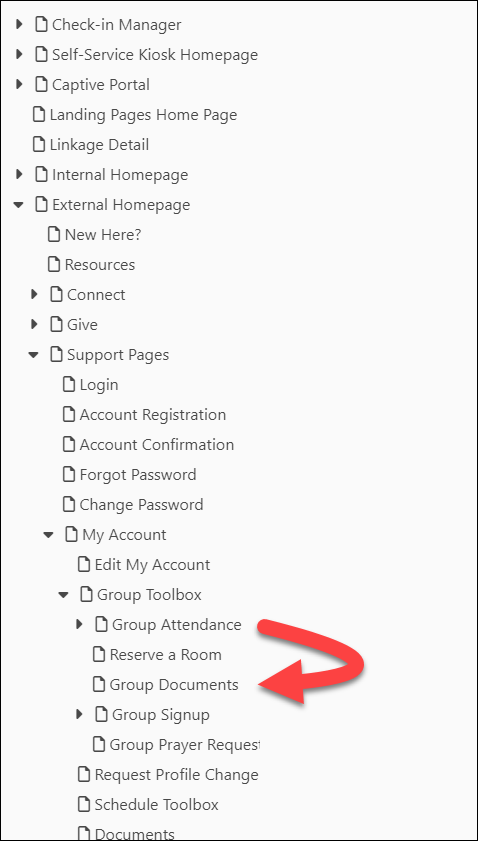
Find the Group Leader Toolbox attendance page and make a copy of it. Name the new page "Group Documents"
On the new Group Documents page, delete the Group Attendance List block and add an HTML block
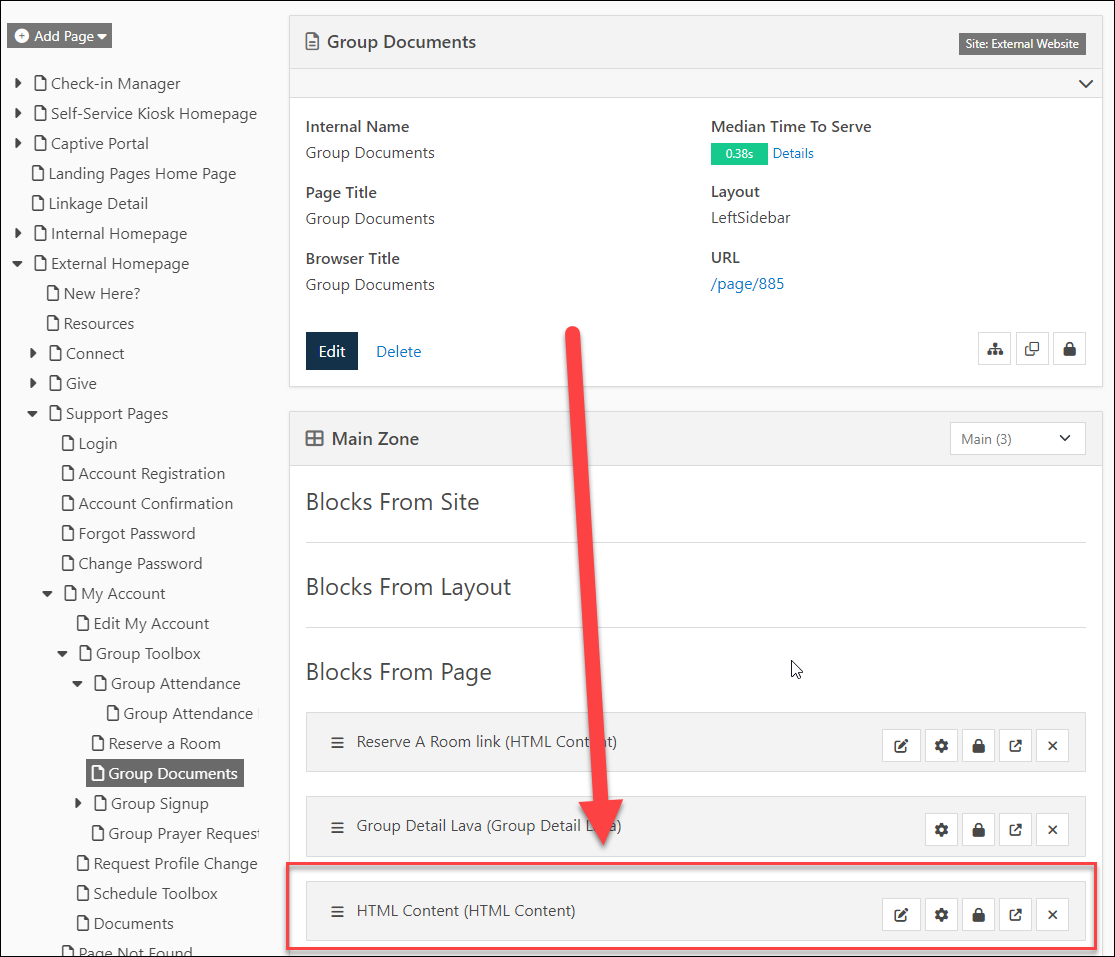
Edit the settings of the HTML Block (Gear Icon) to allow Entity and SQL Lava commands.
Edit the content of the HTML block to have following content:
{% assign groupId = 'Global' | PageParameter:'GroupId' %}
{% group Id:'{{ groupId }}' %}

    {% assign canEdit = group | HasRightsTo:'Edit' %}

    <div class='row'>
        {% sql %}
            SELECT D.[Guid], D.[Name], D.[BinaryFileId]
            FROM [Document] D
            WHERE [DocumentTypeId] = 15
            AND [EntityId] = '{{ groupId }}'
        {% endsql %}
        {% for item in results %}
            <div class='col-sm-4 text-center'>
                <a href='/GetFile.ashx?Id={{ item.BinaryFileId }}'>
                <i class='fa fa-file fa-4x'></i>
                <h4>{{ item.Name }}</h4
                </a>
                {% if canEdit %}
                    <a href='/workflowentry/94?Group={{ group.Guid }}&Document={{ item.Guid }}' class='btn btn-danger btn-xs'><i class='fa fa-times'></i> Delete</a>
                {% endif %}
            </div>
        {% endfor %}
    </div>

{% if canEdit %}
<div class="pull-right margin-b-md">
    <a href='/workflowentry/93?Group={{ group.Guid }}' class='btn btn-default btn-xs'><i class="fa fa-plus"></i> Add Document</a>
</div>
{% endif %}

{% endgroup %}
You'll need to adjust that HTML so that the Document Type Id is the id of the document type you added (instead of 15), and you'll need to edit the Workflow Type's to reflect the workflow type of the Add and Delete workflows you imported (instead of being hard-coded to 93 and 94).
Now that you've added the document type and page, you'll need to modify workflows you imported to redirect user back to the correct page (instead of being hard-coded to page 885)
Last step is to update the Lava on Group Detail block to include a "Documents" tab. In the Lava where it displays the Roster and Attendance tabs, update Lava to this:
    <ul class="nav nav-tabs margin-v-lg">

        {% if LinkedPages.RosterPage %}
            {% if LinkedPages.RosterPage == CurrentPage.Path %}
                <li role="presentation" class="active"><a href="{{ LinkedPages.RosterPage }}?GroupId={{ Group.Id }}">Roster</a></li>
            {% else %}
                <li role="presentation"><a href="{{ LinkedPages.RosterPage }}?GroupId={{ Group.Id }}">Roster</a></li>
            {% endif %}
        {% endif %}

        {% if LinkedPages.AttendancePage and Group.GroupType.TakesAttendance == 'True' %}
            {% if LinkedPages.AttendancePage == CurrentPage.Path %}
                <li role="presentation" class="active"><a href="{{ LinkedPages.AttendancePage }}?GroupId={{ Group.Id }}">Attendance</a></li>
            {% else %}
                <li role="presentation"><a href="{{ LinkedPages.AttendancePage }}?GroupId={{ Group.Id }}">Attendance</a></li>
            {% endif %}
        {% endif %}

        <li role="presentation" {% if CurrentPage.Path == '/page/885' %} class="active" {% endif %}><a href="/page/885?GroupId={{ Group.Id }}">Documents</a></li>

    </ul>
The hard-coded reference to page 885 will need to be updated in that Lava also to point to the new Documents page you created.
After doing all this, the group members will see a new "Documents" tab and leaders will be able to upload/delete documents that members can then view (but not edit).