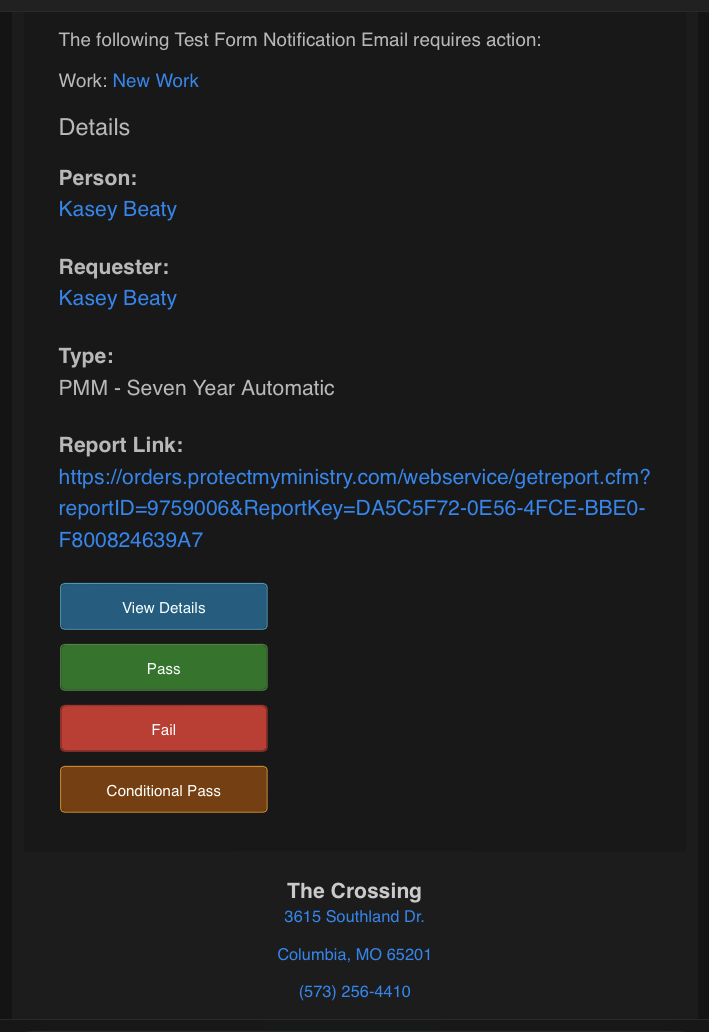
Originally posted by Unknown
To fix this, you will need to edit the buttons within the Rock "Button HTML" define type (/admin/general/defined-types/44). Edit any of the buttons and look for this code within the email HTML field:
<!--[if mso]>
<v:roundrect xmlns:v="urn:schemas-microsoft-com:vml" xmlns:w="urn:schemas-microsoft-com:office:word" href="{{ ButtonLink }}" style="height:38px;v-text-anchor:middle;width:175px;" arcsize="11%" strokecolor="#adadad" fillcolor="#e6e6e6">
    <w:anchorlock/>
    <center style="color:#333333;font-family:sans-serif;font-size:13px;font-weight:normal;">{{ ButtonText }}</center>
</v:roundrect>
<![endif]-->
The code between [if mso] is what tells MSO to style the buttons differently than any other email client. So as a fix – we can increase the width and the height (in v:roundrect to width:225px;height:50px;), and then decrease the font size on the center element to font-size:8px.
As a result, it should look similar to below: