0 votes
in Rock by TinaStephens (8.6k points)
edited

enter image description hereAsana: https://app.asana.com/0/1203395976933379/1203698460324563/f

This background check https://admin.southwestchurch.com/admin/general/workflows?workflowTypeId=24&ExpandedIds=C162 is presenting the approve or deny screen after staff submit the request from a person profile. Only the Approver should see this screen.

And now Background Administration has no access to background checks Safe Ministry sends back.enter image description here

by KateQuinn (6.8k points)
I am going to take a shot at this

3 Answers

0 votes
by KateQuinn (6.8k points)
edited
 
Best answer

For the second part of the issue, the security error, we need to add a security role for 'Background Check Administration' to the file type, in addition to the Background Check Result document:

enter image description here

0 votes
by MarkLee (8.3k points)
edited

This is likely because Rock Administrators can see all workflows. I would try impersonating a staff member who isn't a Rock admin and see if they can also view the workflow.

by TinaStephens (8.6k points)
@MarkLee I did impersonated several staff with basic staff privilege and they could see it. I'm currently getting an error on that screen too. I'll post a pic. This is the error that shows up since I tried eliminating the approve screen from view of regular staff. I made it worse.
0 votes
by KateQuinn (6.8k points)
edited

I made a few changes here:

1.) In the 'Get Info' action in the first Activity, I made sure that the submit button wasn't skipping the Validation Activity
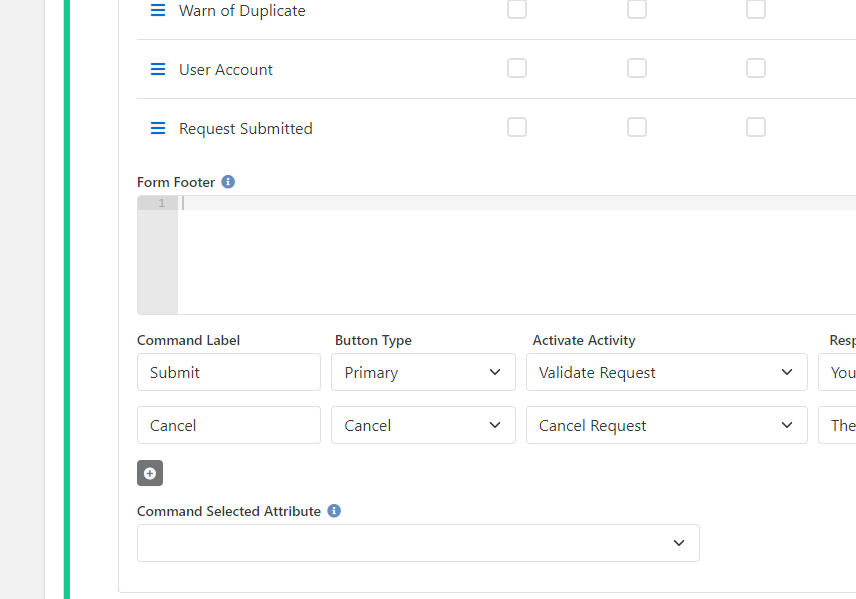
enter image description here

2.) In order to keep people from seeing the Approval form, I removed the 'Activate Activity' option in the Validation form. (I also added the 'Confirm Request' attribute to the bottom of the form in the 'Command Selected Attribute' field for later use in the 'Approved Action'.)
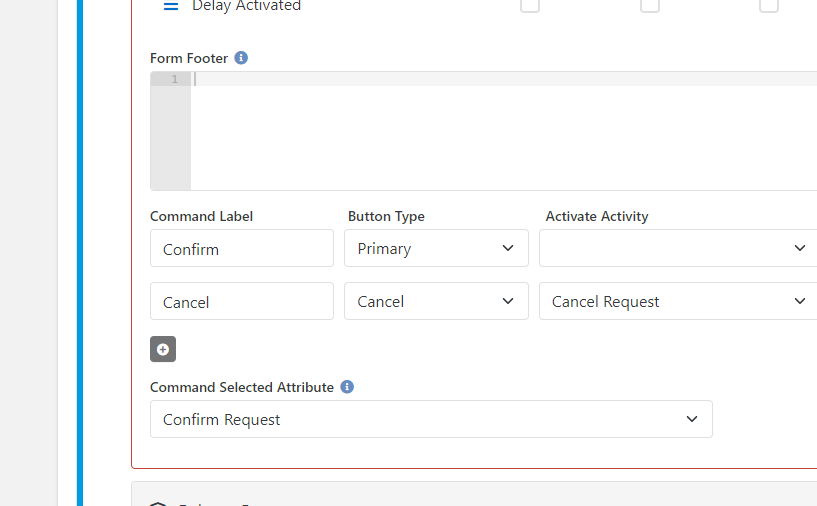
enter image description here

3.) Then I added a delay and a redirect to force people away from the workflow:
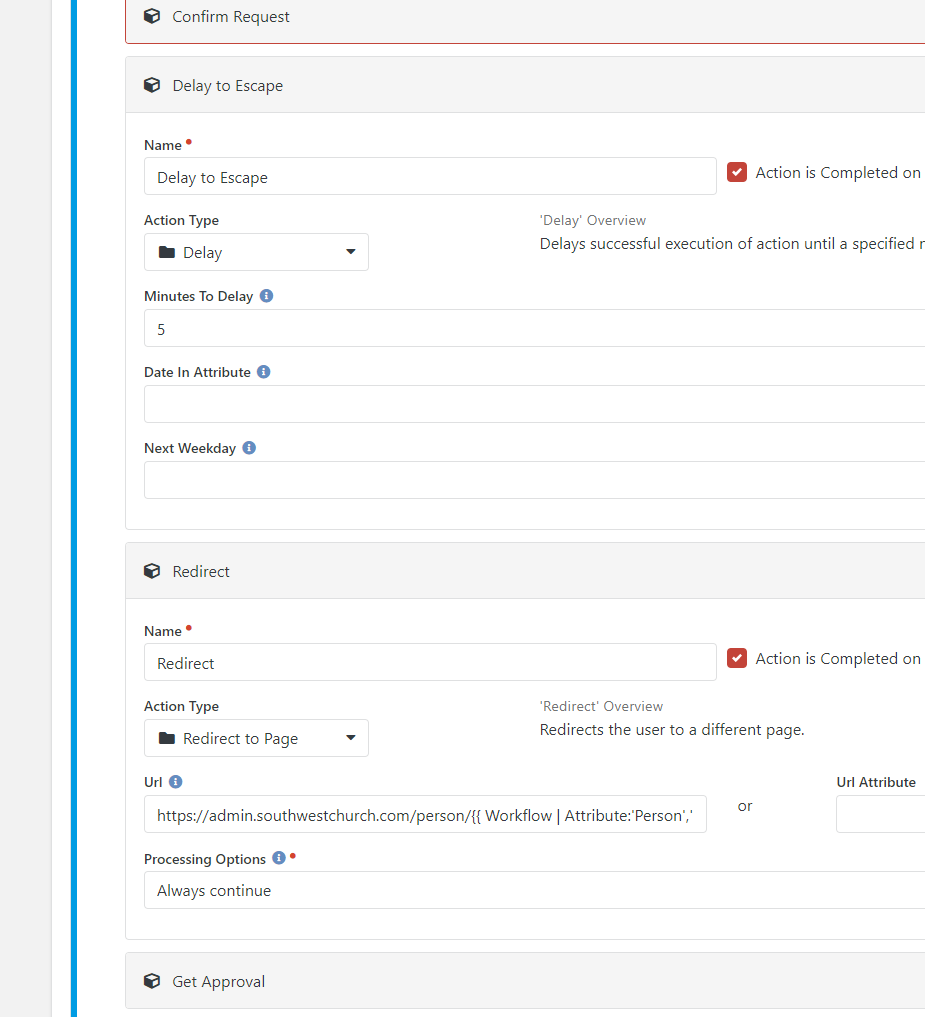
enter image description here

4.) And finally I set a filter to only activate the 'Approved' activity if the form had actually been confirmed:
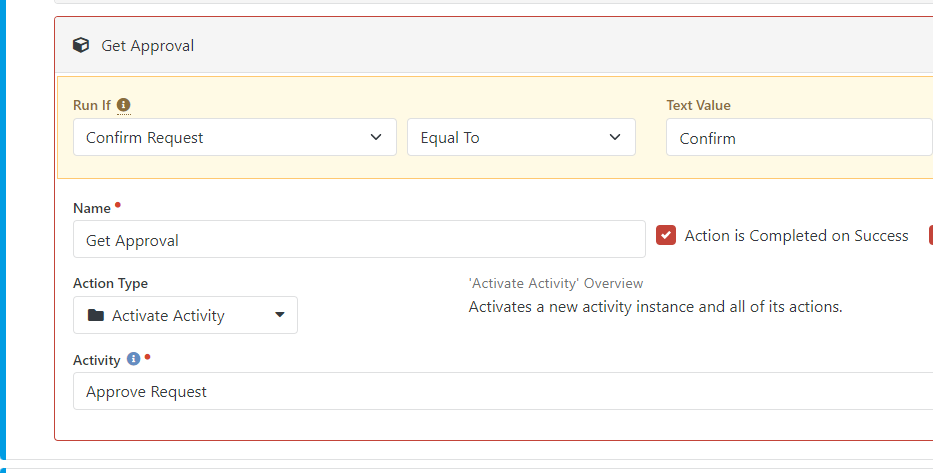
enter image description here

Welcome! Here you can ask questions and receive answers (hopefully) from other members of our team.
...