Disclaimer: This solution assumes that you already have a childcare registration ready for re-direction:
Step 1: Add this script to the Registration page (ie. the external page where the users will complete the registrations):
Example: https://www.goldcreek.org/newregistration?RegistrationInstanceId=408&EventOccurrenceID=423
<script>
    // This version does not require user interaction - users are automaticall redirected to the childcare registration
    // Variable to track whether the link has been clicked
    let linkClicked = false;
    //console.log('not clicked');

        // Create an observer instance linked to the callback function
        const observer = new MutationObserver(function(mutationsList, observer) {
            // Redirect the user
            const redirectLink = document.getElementsByClassName("js-reg-confirmation-url")[0];
            //console.log(redirectLink);
            if (redirectLink) {
                console.log('clicked');
                redirectLink.click();
                linkClicked = true;
                observer.disconnect();
            }
        });
        // Start observing the document for configured mutations after the HTML is loaded
        window.addEventListener('load', function() {
            observer.observe(document, { childList: true, subtree: true });
        });
</script>
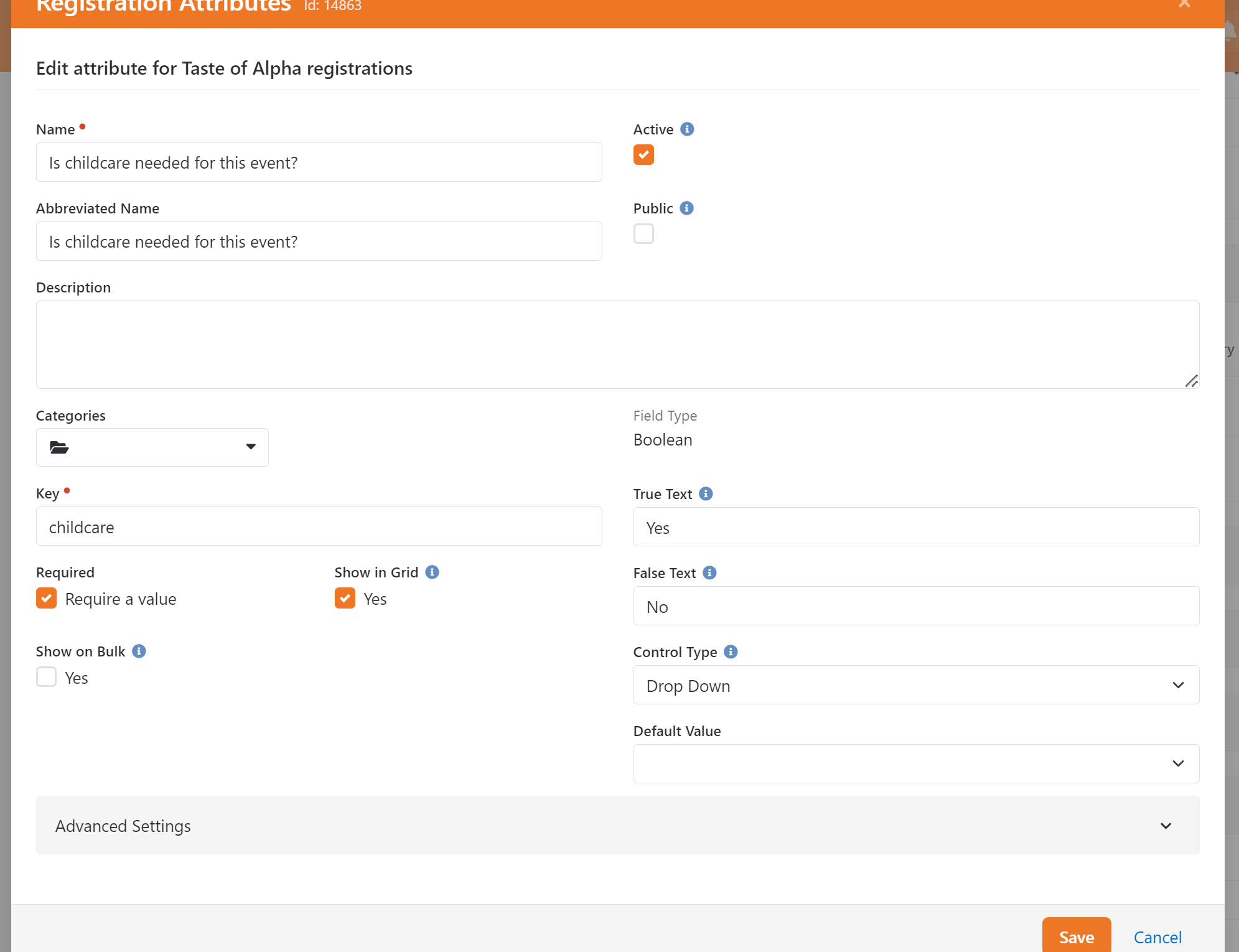
Step 2: Add a Registration Attribute with a key of 'childcare' and a field type of 'Boolean':
Step 3:
Add lava to the Template confirmation text to display redirect link if the childcare bool is true. Don't forget to update the childRegistrationInstanceId variable that you will be redirecting to. ALSO! Double check your url for the redirection. Your client's page route will be different.
{% assign root = 'Global' | Attribute:'PublicApplicationRoot' %}
{% assign childRegistrationInstanceId = '409' %}
{% assign childcareAttributeKey = 'childcare' %}
{% assign childcareBool = Registration | Attribute: childcareAttributeKey %}
{% if childcareBool == 'Yes'%}
    <a class="js-reg-confirmation-url" href="{{ root }}newregistration?RegistrationInstanceId={{childRegistrationInstanceId }}"></a>Test</a>
{% else %}
<p>You have successfully completed this registration.</p>
{% endif %}
