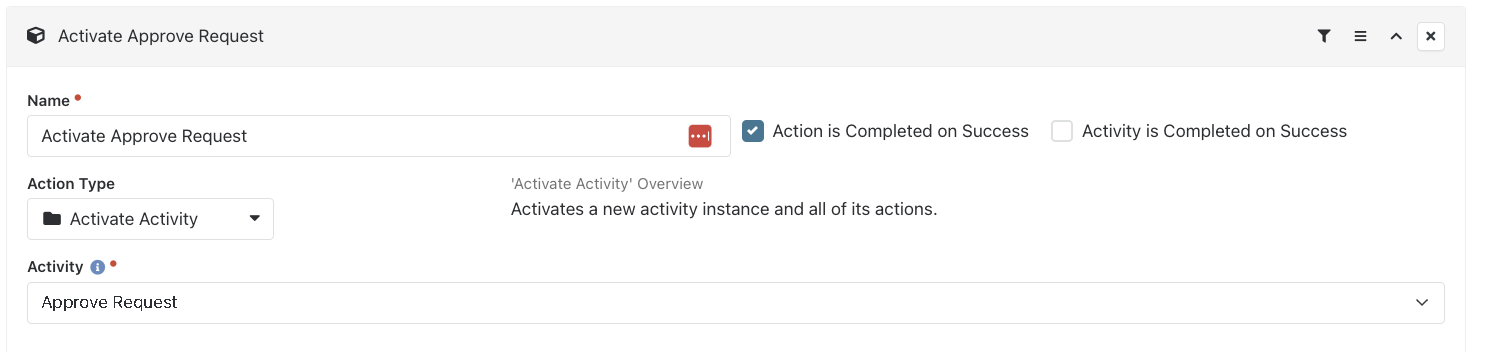
*This solution was done by the great Kate Quinn.
In the workflow, the Activities "Get Details" Command Label (at the bottom of the form) for "Submit", is launching the Activate Activity "Approve Request".
To adjust this:
Add a new Activity after the "Initial Request" activity, called "Redirect or Continue". The stack of activities will look like this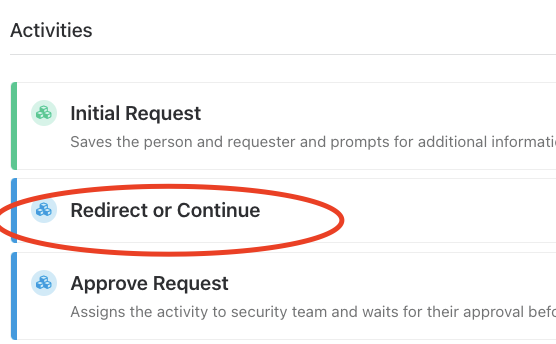
Change the Command Label on the "Get Details" form to launch the "Redirect or Continue" activity.
In the new Activity of "Redirect or Continue" add an attribute for "IsInRole"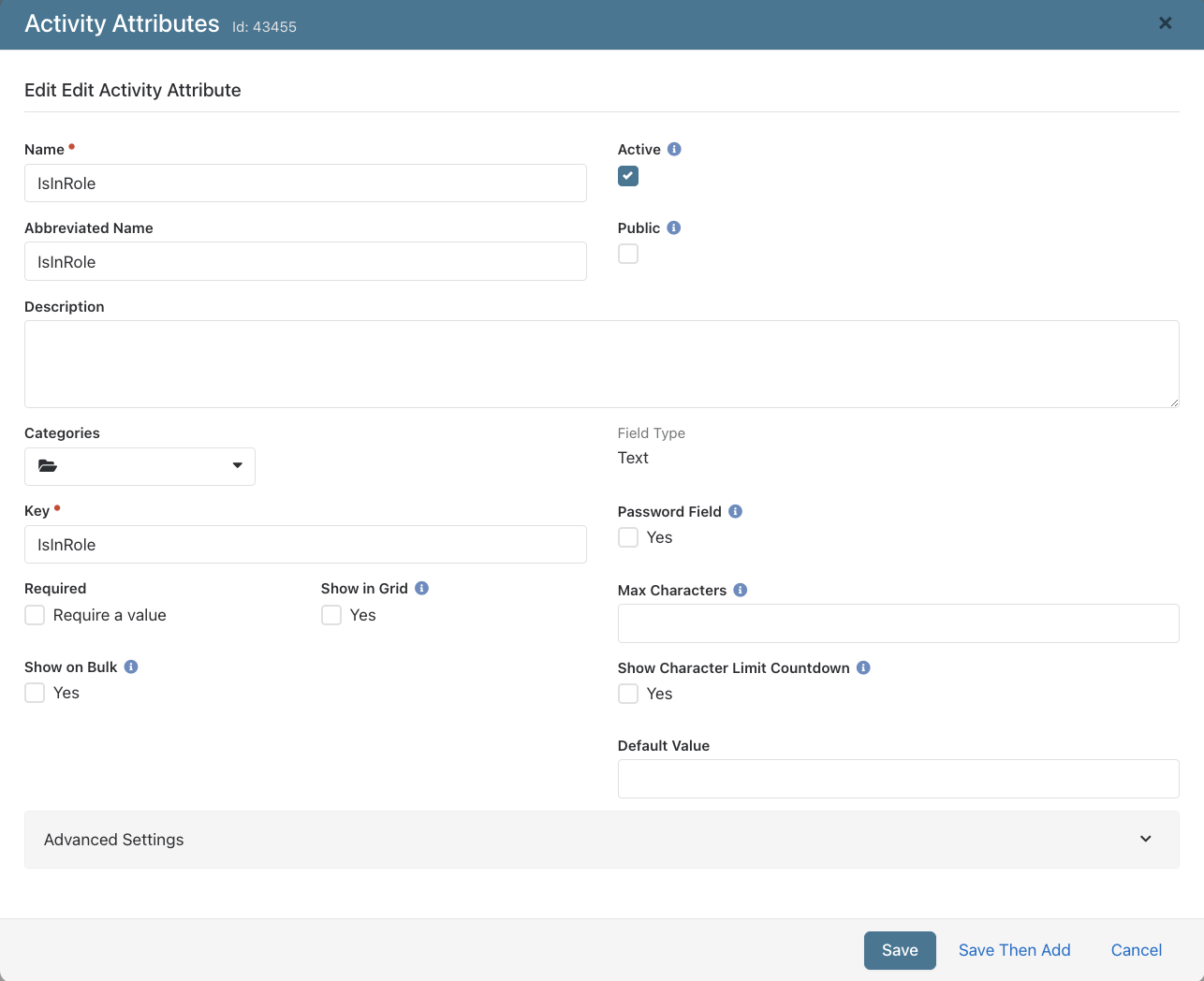
Add these 4 Actions in the new Activity:
a. Is Requester in Security Group? with the Action Type of "Lava Run"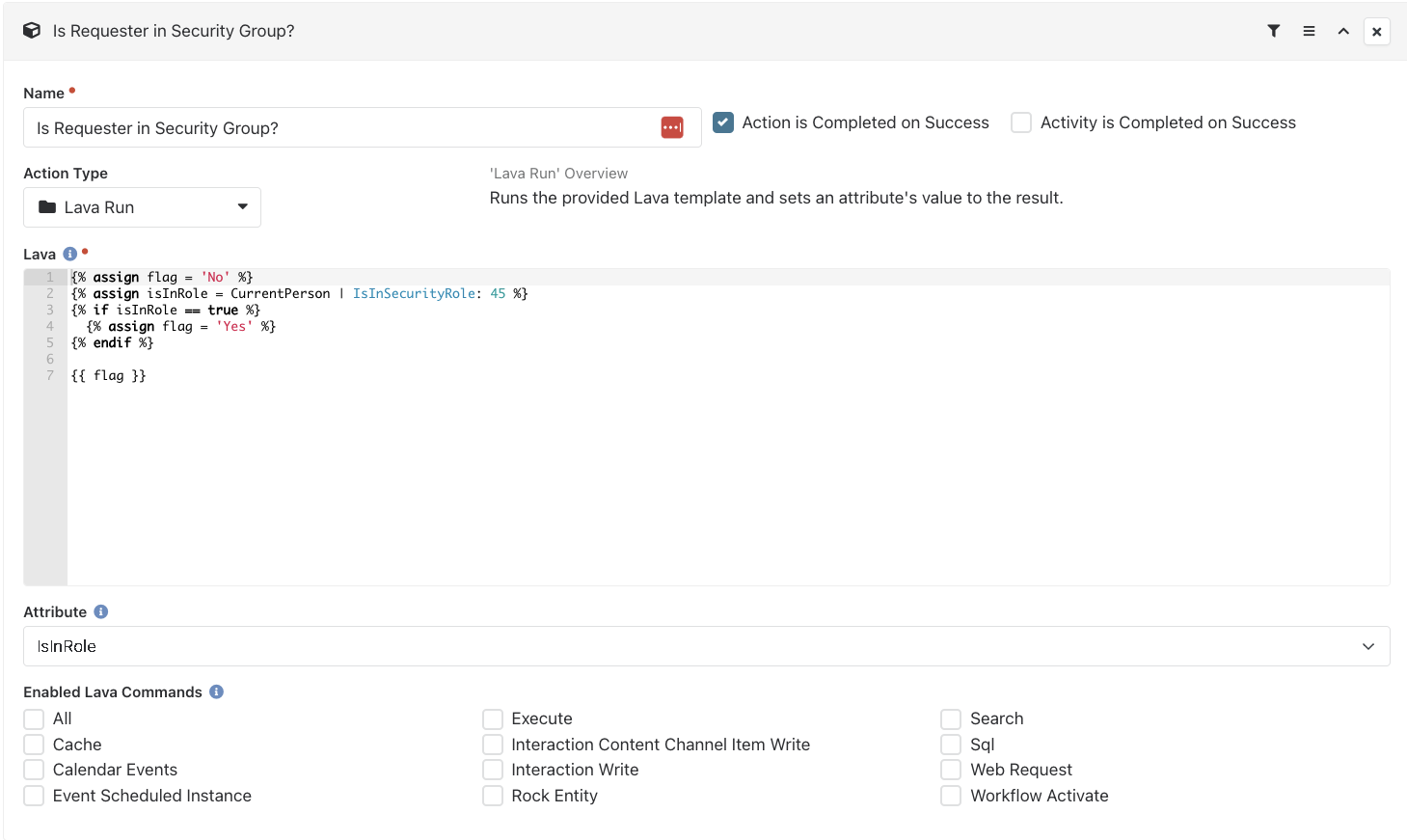
{% assign flag = 'No' %}
{% assign isInRole = CurrentPerson | IsInSecurityRole: 45 %}
{% if isInRole == true %}
  {% assign flag = 'Yes' %}
{% endif %}

{{ flag }}
b. Add Delay with the condition of "Run if 'IsInRole' is Equal To 'No'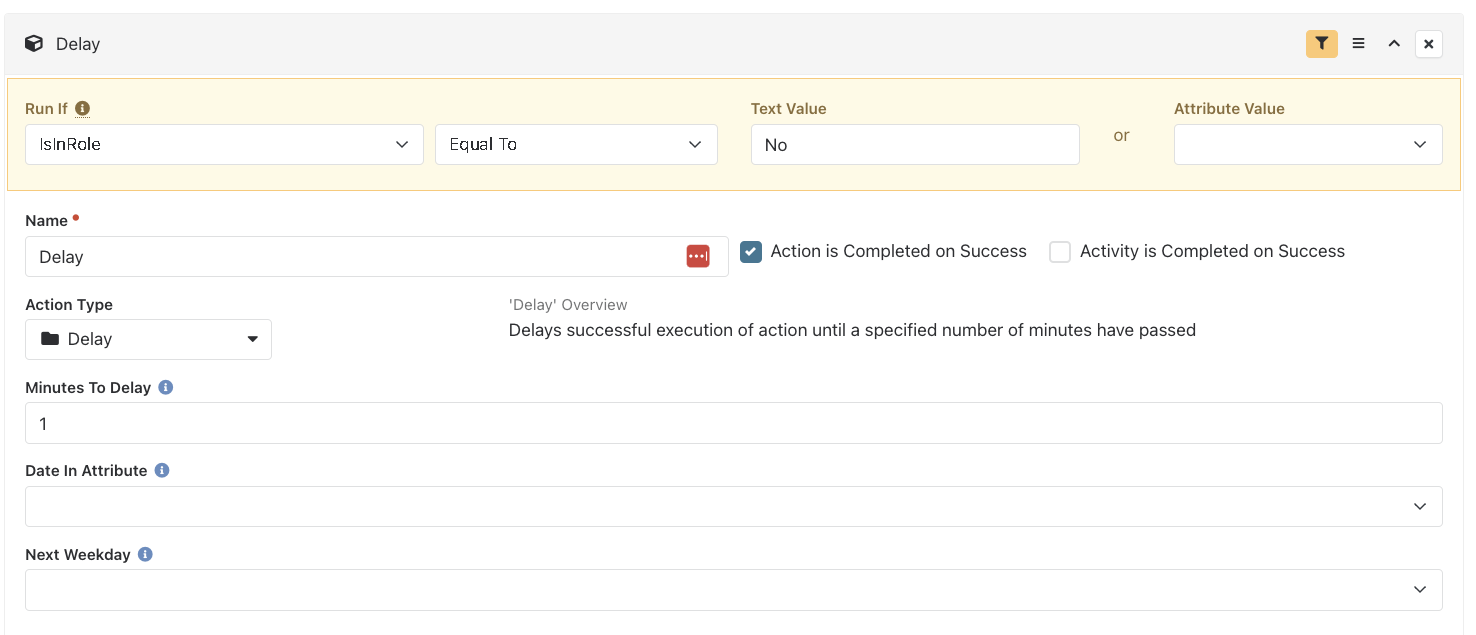
c. Add "Redirect to Person Profile with a condition to Run if "IsInRole" is Equal to 'no'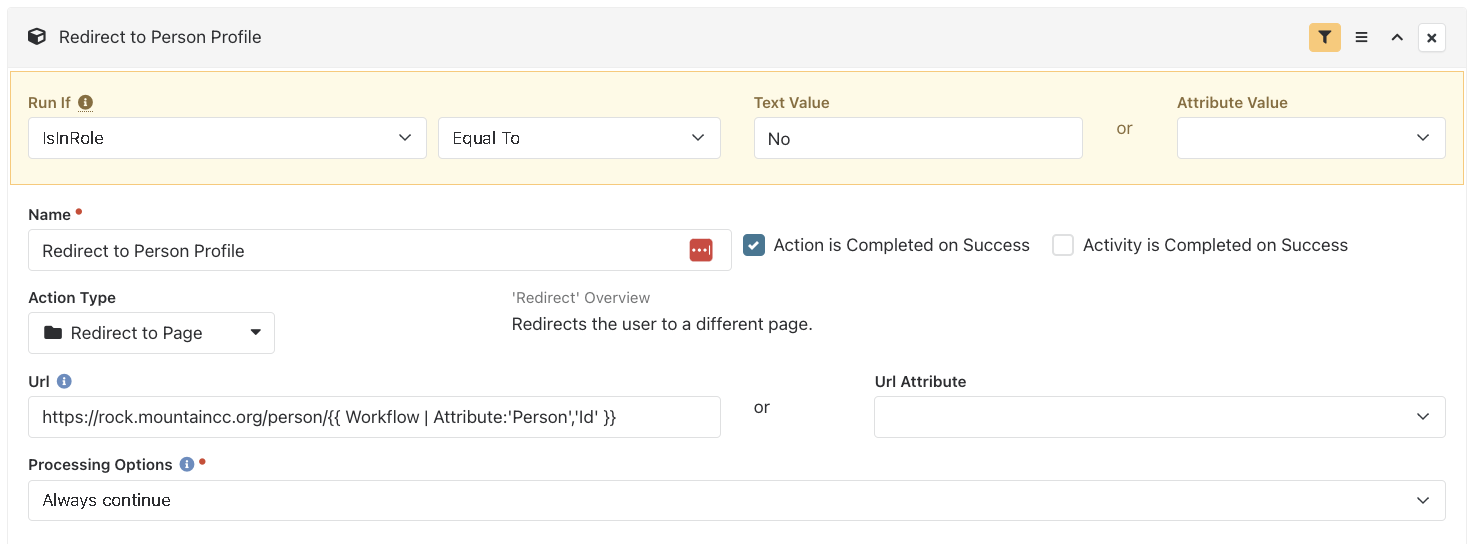
d. Add "Activate Approve Request"