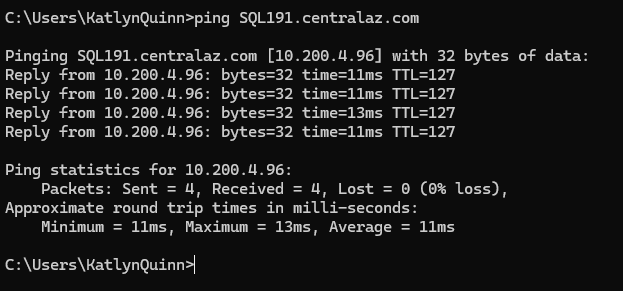
The error messages aren't descriptive: I get the same error messages whether I have an incorrect password, am being blocked by the firewall, or (in this case) my DNS is not resolving properly. Here is how I fixed this issue:
1.) Test with 9embers vpn and Cisco vpn.
2.) Test using only Cisco vpn.
3.) Ping the vpn and the sql server address - in a vpn scenario, the sql server "should" (might?) be added in a subnet. The sql server address here should NOT be 162.213.43.147. It should be 10.200.4.96. In this case, my DNS is not correctly resolving the server at SQL191.centralaz.com.
4.) In this case, I restarted my computer. This logged me out of all the vpns and, after I re-connected to cisco, provided the correct subnet ip address during pinging: