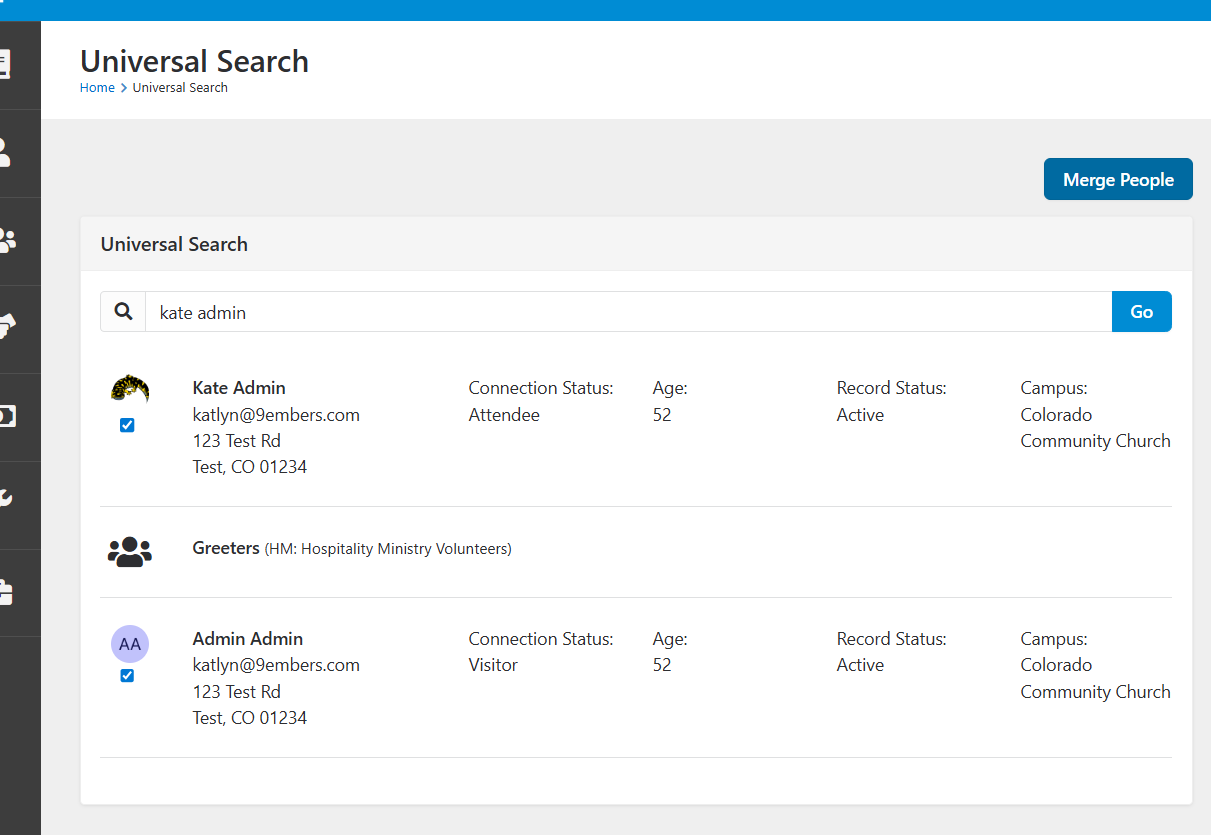
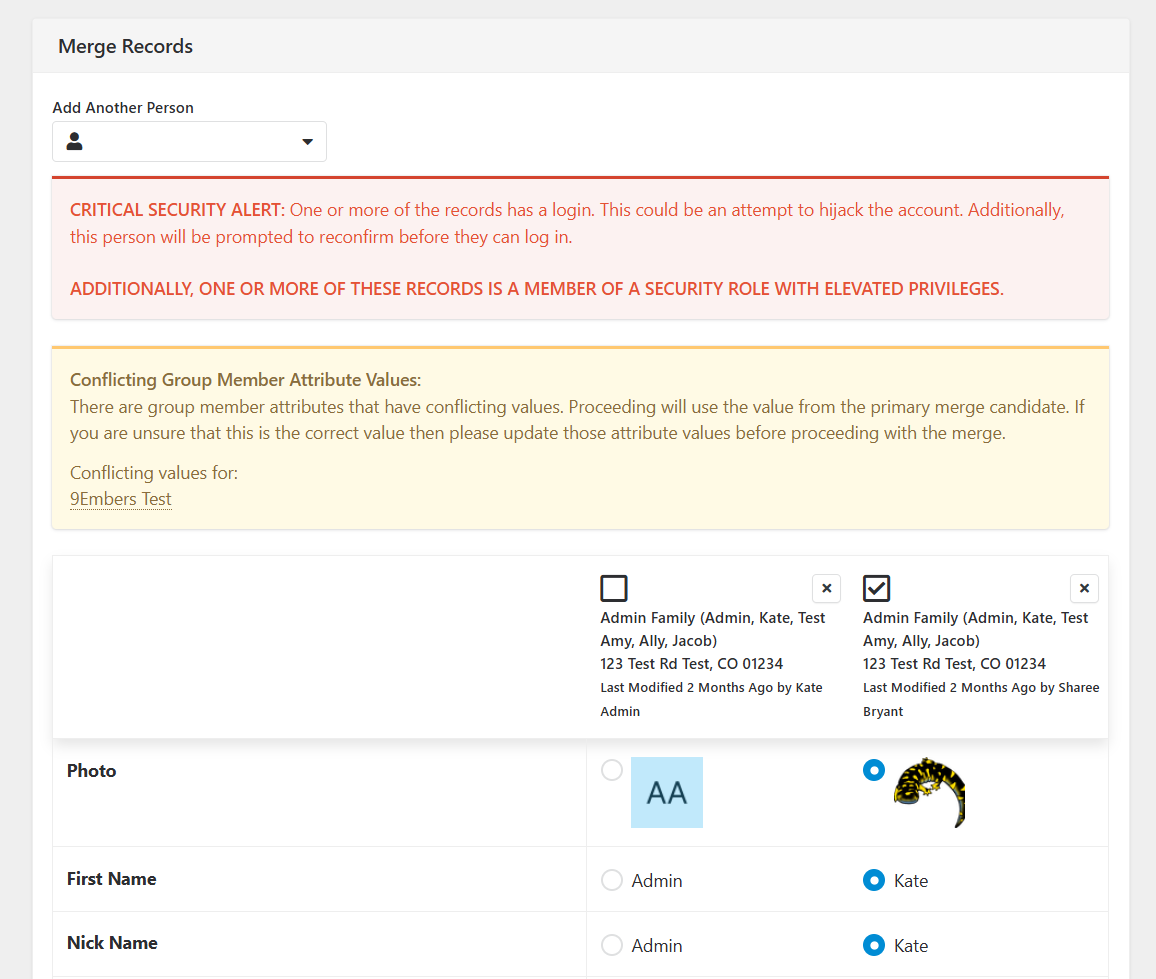
Yes! Person Merges are passed via pageparameter to the Person Merge page in the form of Entity Sets. This process uses checkboxes, javascript and lava to collect the person ids of the people intended for the merge and passes them to a workflow that loops through them to create the entity set items, then redirects to the Person Merge page.
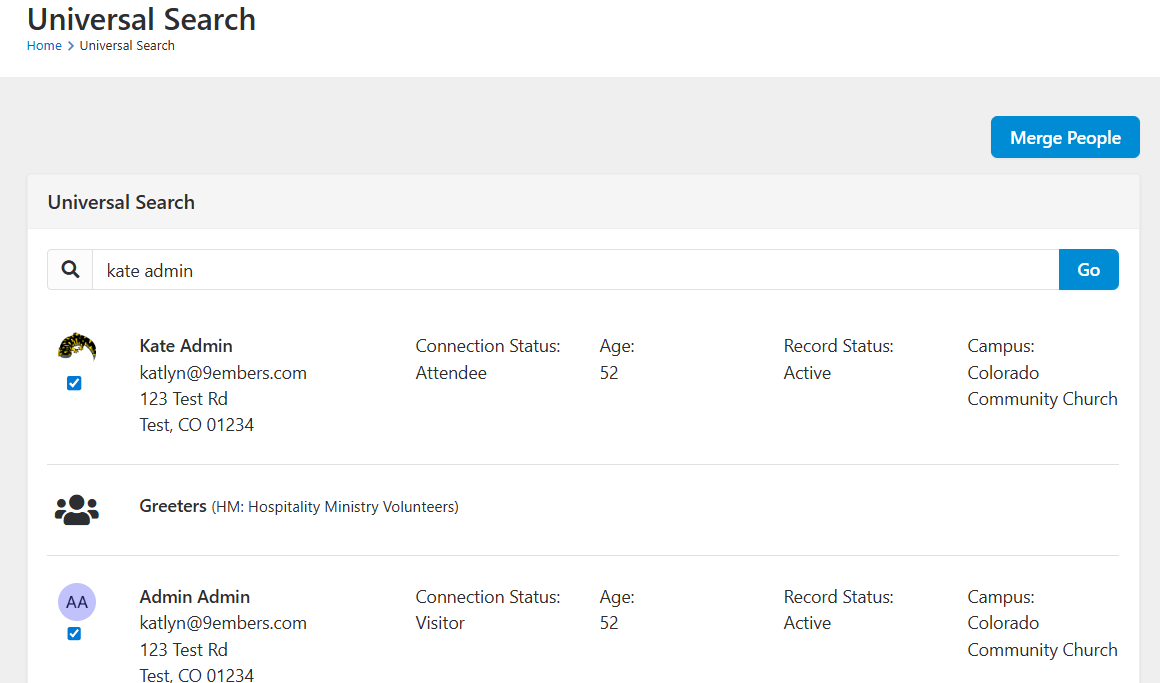
Step 1.) Add check boxes to each returned person record by updating the lava template for the entity:
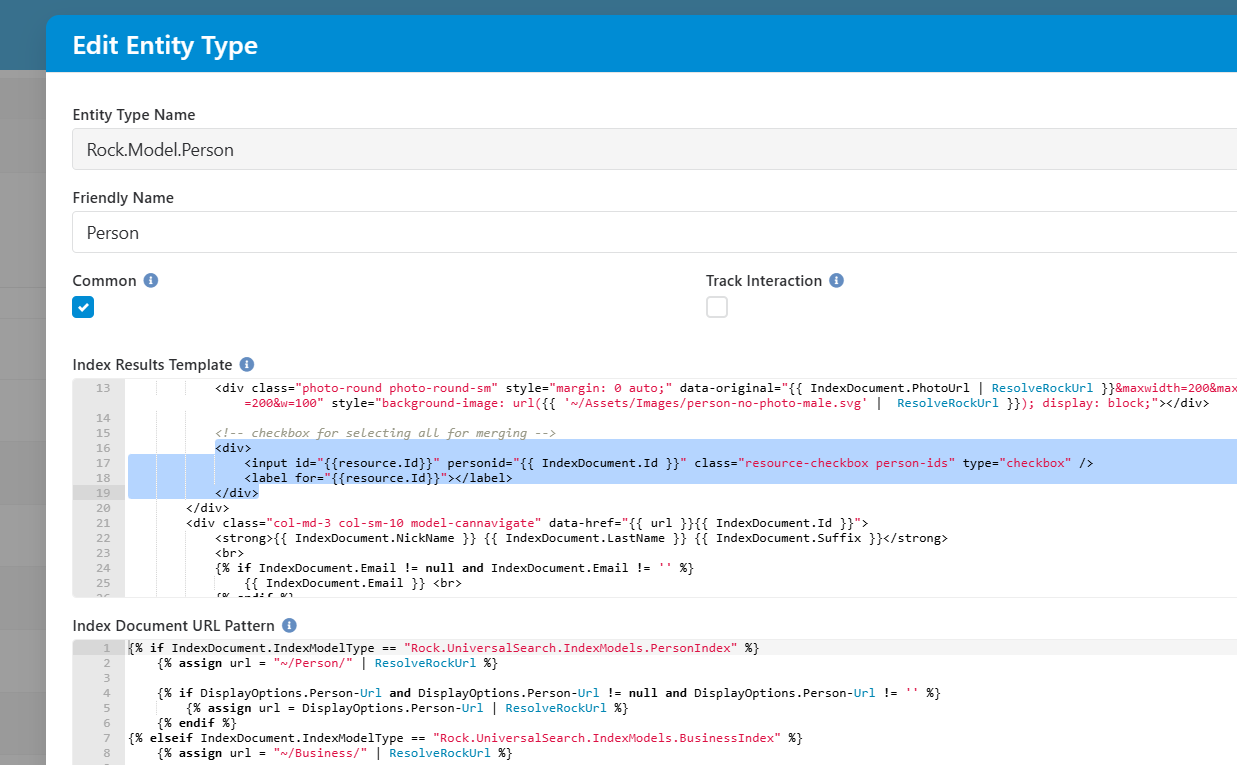
Updated lava template:
{% if IndexDocument.IndexModelType == "Rock.UniversalSearch.IndexModels.PersonIndex" %}

    {% assign url = "~/Person/" | ResolveRockUrl %}

    {% if DisplayOptions.Person-Url and DisplayOptions.Person-Url != null and DisplayOptions.Person-Url != '' %}
        {% assign url = DisplayOptions.Person-Url | ResolveRockUrl %}
    {% endif %}


    <div class="row " >

        <div class="col-sm-1 text-center">
            <div class="photo-round photo-round-sm" style="margin: 0 auto;" data-original="{{ IndexDocument.PhotoUrl | ResolveRockUrl }}&maxwidth=200&maxheight=200&w=100" style="background-image: url({{ '~/Assets/Images/person-no-photo-male.svg' |  ResolveRockUrl }}); display: block;"></div>

            <!-- checkbox for selecting all for merging -->
            <div>
                <input id="{{resource.Id}}" personid="{{ IndexDocument.Id }}" class="resource-checkbox person-ids" type="checkbox" />
                <label for="{{resource.Id}}"></label>
            </div>
        </div>
        <div class="col-md-3 col-sm-10 model-cannavigate" data-href="{{ url }}{{ IndexDocument.Id }}">
            <strong>{{ IndexDocument.NickName }} {{ IndexDocument.LastName }} {{ IndexDocument.Suffix }}</strong>
            <br>
            {% if IndexDocument.Email != null and IndexDocument.Email != '' %}
                {{ IndexDocument.Email }} <br>
            {% endif %}

            {% if IndexDocument.StreetAddress != '' and IndexDocument.StreetAddress != null %}
                {{ IndexDocument.StreetAddress }}<br>
            {% endif %}

            {% if IndexDocument.City != '' and IndexDocument.City != null %}
                {{ IndexDocument.City }}, {{ IndexDocument.State }} {{ IndexDocument.PostalCode }}
            {% endif %}
        </div>
        <div class="col-md-2">
            Connection Status: <br>
            {{ IndexDocument.ConnectionStatusValueId | FromCache:'DefinedValue' | Property:'Value' }}
        </div>
        <div class="col-md-2">
            Age: <br>
            {{ IndexDocument.Age }}
        </div>
        <div class="col-md-2">
            Record Status: <br>
            {{ IndexDocument.RecordStatusValueId | FromCache:'DefinedValue' | Property:'Value' }}
        </div>
        <div class="col-md-2">
            Campus: <br>
            {{ IndexDocument.CampusId | FromCache:'Campus' | Property:'Name' }}
        </div>
    </div>

{% elseif IndexDocument.IndexModelType == "Rock.UniversalSearch.IndexModels.BusinessIndex" %}
    {% assign url = "~/Business/" | ResolveRockUrl %}

    {% if DisplayOptions.Business-Url and DisplayOptions.Business-Url != null and DisplayOptions.Business-Url != '' %}
        {% assign url = DisplayOptions.Business-Url | ResolveRockUrl %}
    {% endif %}


    <div class="row model-cannavigate" data-href="{{ url }}{{ IndexDocument.Id }}">
        <div class="col-sm-1 text-center">
            <i class="{{ IndexDocument.IconCssClass }} fa-2x"></i>
        </div>
        <div class="col-sm-11">
            <strong>{{ IndexDocument.Name }}</strong>

            {% if IndexDocument.Contacts != null and IndexDocument.Contacts != '' %}
                <br>Contacts: {{ IndexDocument.Contacts }}
            {% endif %}
        </div>
    </div>
{% endif %}
Step 2.) Add Javascript to the Universal Search block post HTML to get all the checkboxes and add click event listeners for each one. Clicking the checkbox will add a 'checked' class.
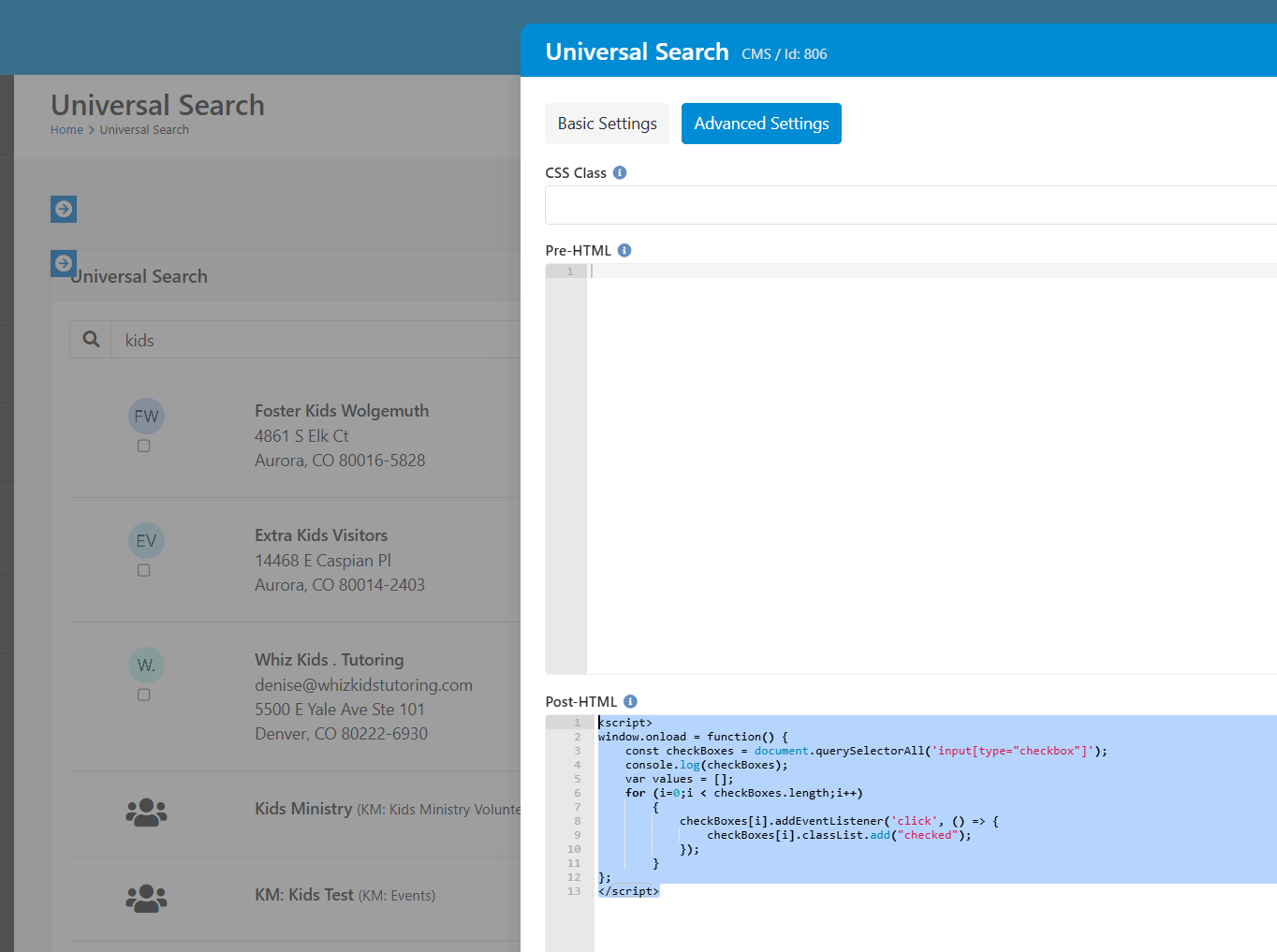
<script>
window.onload = function() {
    const checkBoxes = document.querySelectorAll('input[type="checkbox"]');
    console.log(checkBoxes);
    var values = [];
    for (i=0;i < checkBoxes.length;i++)
        {
            checkBoxes[i].addEventListener('click', () => {
                checkBoxes[i].classList.add("checked");
            });
        }
};
</script>
Step 3.) Add a button above the universal search block to initiate the merge:
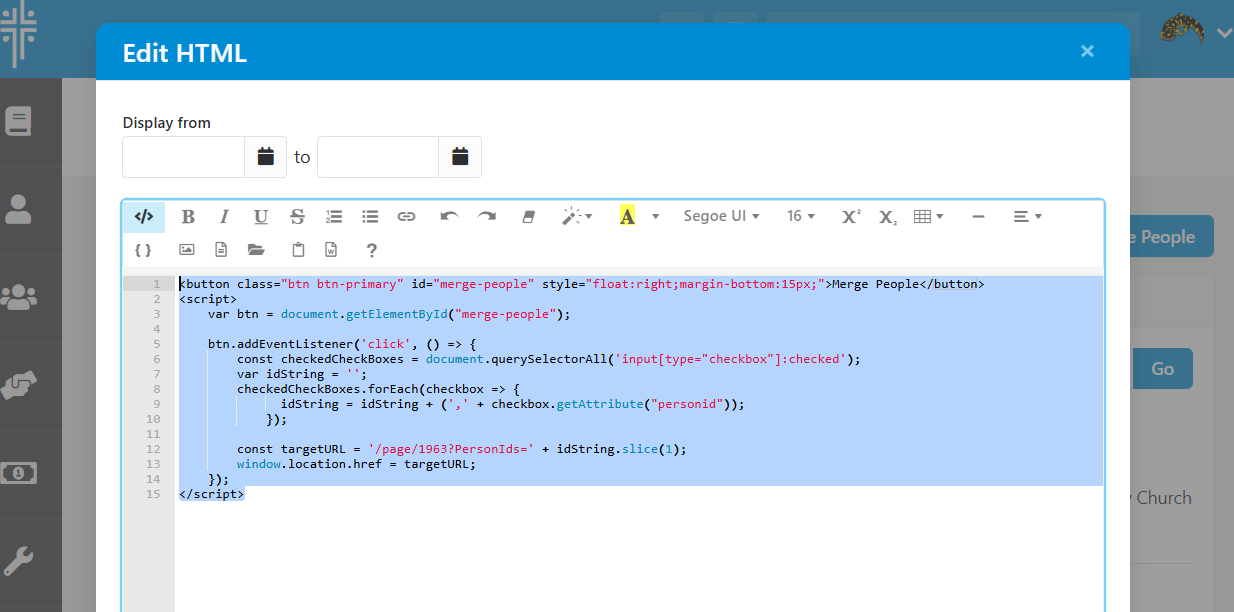
<button class="btn btn-primary" id="merge-people" style="float:right;margin-bottom:15px;">Merge People</button>
<script>
    var btn = document.getElementById("merge-people");

    btn.addEventListener('click', () => {
        const checkedCheckBoxes = document.querySelectorAll('input[type="checkbox"]:checked');
        var idString = '';
        checkedCheckBoxes.forEach(checkbox => {
              idString = idString + (',' + checkbox.getAttribute("personid"));
            });

        const targetURL = '/page/1963?PersonIds=' + idString.slice(1);
        window.location.href = targetURL;
    });
</script>
Step 4.) Add this workflow to the client's environment and get the workflow type id: https://9emberscom.sharepoint.com/:u:/s/9Embers/EcapluKQhe9AqMCjBqDueWgB0NOfag2MoHDO_IPXYuO8Ow?e=LqjMqg
Backup link: https://rock.coloradocommunity.org/page/136?WorkflowTypeId=648
Step 5.) Add a child page to the universal search page and add an HTML block with lava to activate the workflow. Make sure to add your workflow type id to the lava so it doesn't start random workflows:
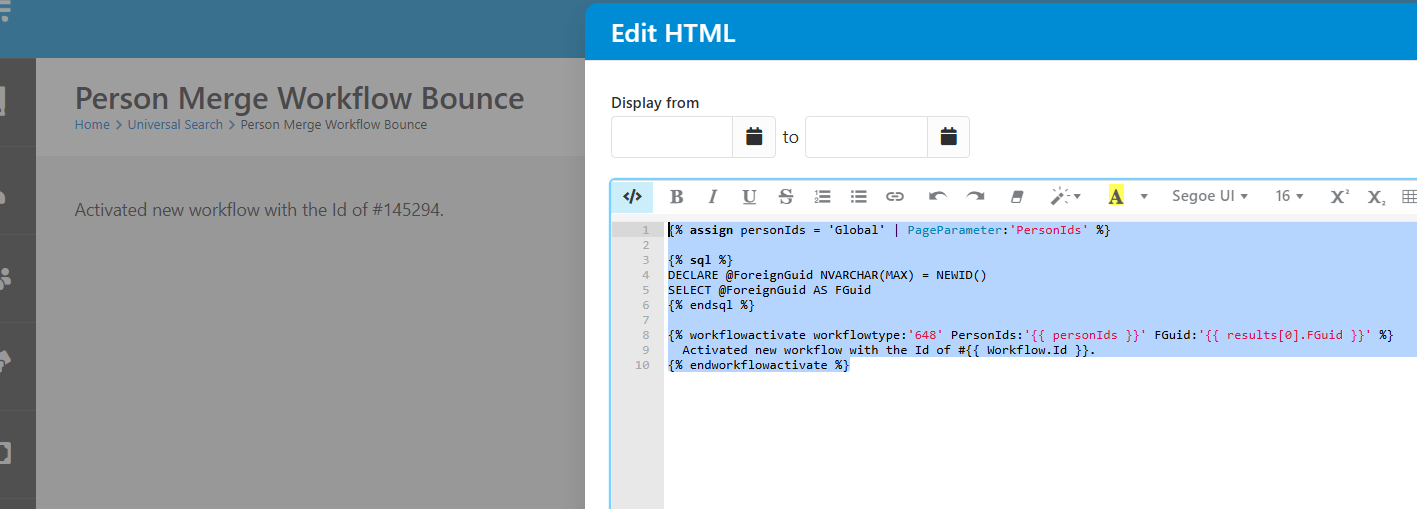
{% assign personIds = 'Global' | PageParameter:'PersonIds' %}

{% sql %}
DECLARE @ForeignGuid NVARCHAR(MAX) = NEWID()
SELECT @ForeignGuid AS FGuid
{% endsql %}

{% workflowactivate workflowtype:'648' PersonIds:'{{ personIds }}' FGuid:'{{ results[0].FGuid }}' %}
  Activated new workflow with the Id of #{{ Workflow.Id }}.
{% endworkflowactivate %}
Step 6.) Test the process: you should be bounced directly to the Person Merge page after selecting the people and clicking 'Merge People'